
TWO BROWSERS. ONE PRIVATE BOARD.
Snakes & Ladders with a friend. Send a link, share the luck.
Invite someone you know to a friendly climb. Watch both tokens travel on the same board, celebrate a ladder and laugh about the snake that sends you back.
- 100 squaresOne exact finish
- 2 playersGold and Teal
- FreeNo account
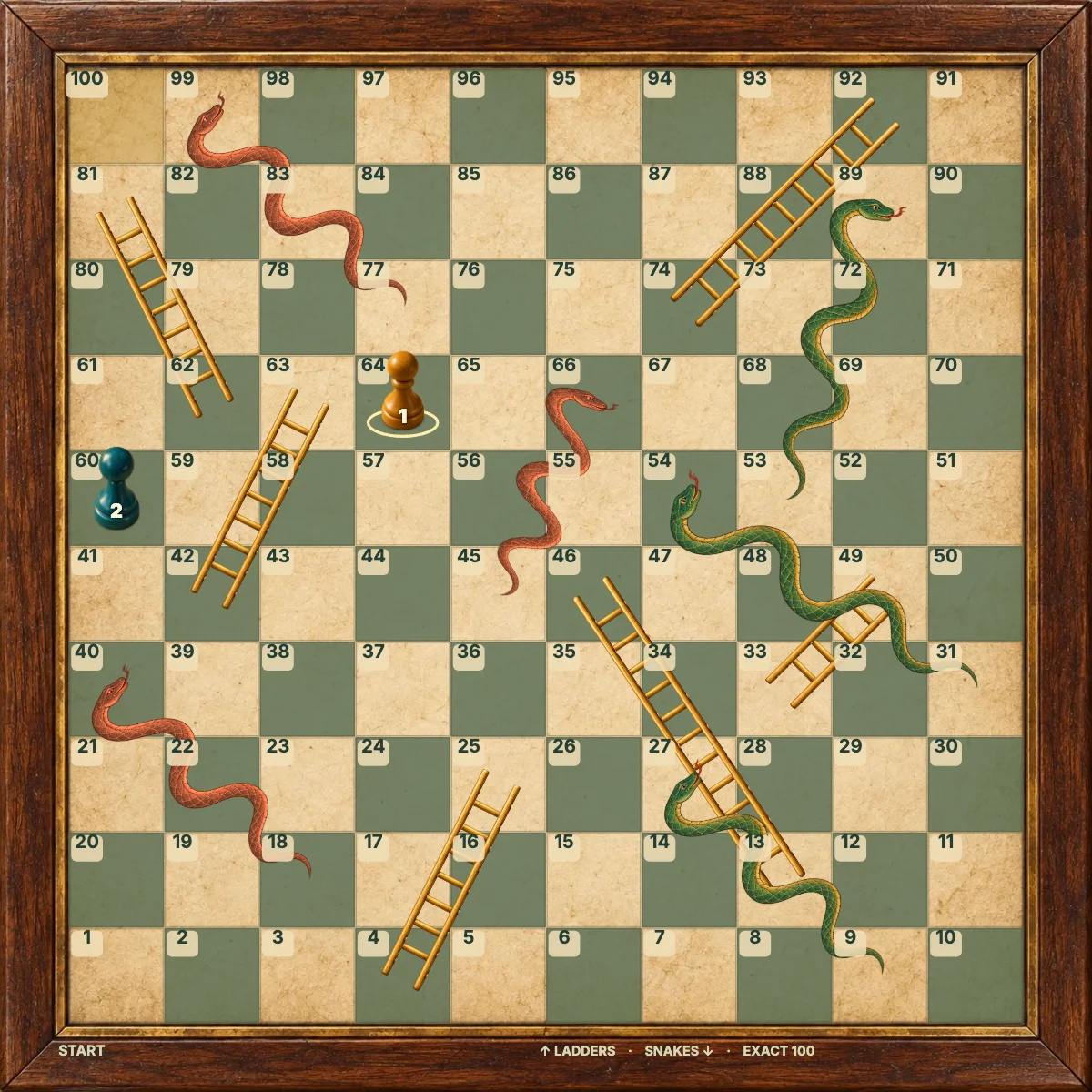
Land on a ladder’s foot.
A snake’s head sends you down.
Reach exactly 100.
Create your private invitation
Open the game with the invitation button, then use Play with a friend or Share invitation. Copy the private link and send it to your friend. The host takes Gold; the first guest takes Teal. Gold rolls first once both players are connected.
The rules of this climb
Gold (player 1) starts before square 1; Teal (player 2) follows. Roll one fair six-sided die and move automatically along the numbered, alternating rows. Any roll can enter the board. A six does not give an extra turn.
Land exactly on a ladder’s foot to climb to its top. Land on a snake’s head to slide to its tail. Passing either endpoint has no effect. Both tokens can share a square without capturing each other.
The first token to reach 100 wins. You need the exact number: a roll past 100 leaves the token in place and passes the turn. All three modes use the same fixed board, with six ladders and six snakes.
One button, every move
Tap or click Roll dice. The movement, climb or slide happens automatically. For keyboard play, focus the roll button with Tab and press Enter or Space. The highlighted player card shows who plays, and numbered tokens distinguish the colours.
One roll, agreed by the server
The server chooses the die, checks whose turn it is and saves the result before updating either board. A client cannot choose its own number. Wait for confirmation before the next roll.
Keep the same browser and invitation to return to your seat. Opening your own link there resumes your seat; it does not create a second player. A new tab using the same seat replaces the old connection. After a friend has joined, both players must accept New round.
Beside each other? Use one shared screen. Waiting for your friend? Play against the computer.
Save the next roll for later
Local and computer rounds save separately in this browser when storage is available. Changing modes restores that mode’s round. New round asks before replacing unfinished offline play. Clearing browser data removes these saves.
Online rolls are confirmed after the server saves them. Return through the same invitation and browser to keep your seat. Both friends must be connected; after a guest joins, both must agree to a new round. Inactive rooms expire after seven days.
GOOD TO KNOW
Snakes & Ladders Play with a Friend FAQ
How do I invite my friend?
Create a private room, copy its invitation and send the link. Your friend opens it in their own browser.
What if we disconnect?
The saved board remains. Reopen the invitation in the same browser and wait until both players reconnect.
Can someone else join?
The first person with an unused invitation can take the second seat. Share it only with your intended friend.
Who starts the next round?
Gold starts each round. Seats and colours do not change.