
TWO KARTS. ONE WINNER.
Play Racing online. Find your line.
A free browser kart race with drifting, three laps and a newly generated circuit every time. Choose a shared screen, a computer rival or a private invitation.
- 3 lapsFirst to the finish
- New circuitsA fresh track every race
- Free to playNo account required
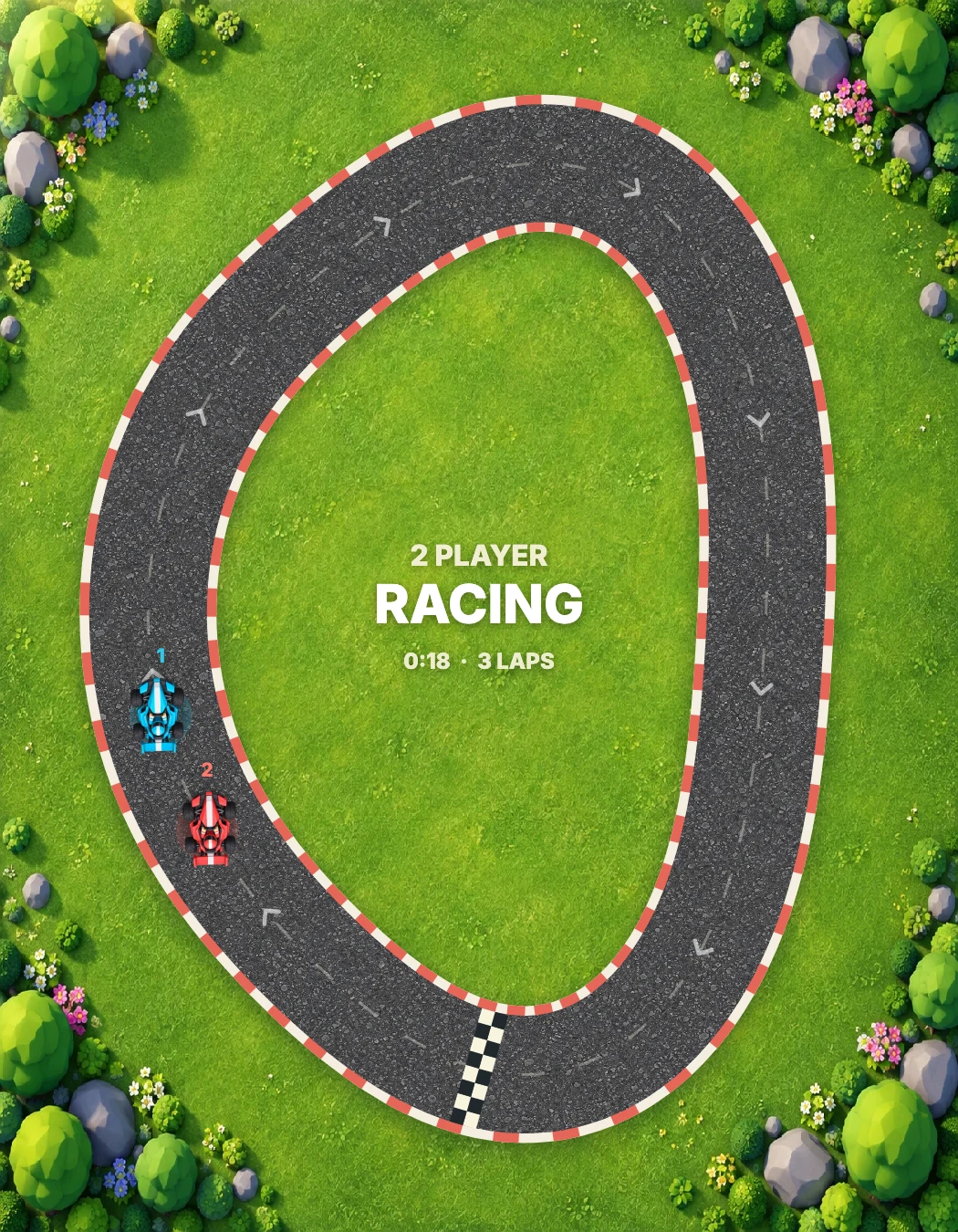
Carry momentum through every turn.
Grass slows you down. Follow the arrows.
Same device, computer or a private invitation.
Get on the grid
Open the game in your browser: no installation or account is needed. The Play button starts Same device mode. Use the top menu to practise against the computer or invite someone to a private online room. Online here describes browser play; random matchmaking is not available.
Three laps to victory
Be first to complete three laps in the direction of the track arrows. Every lap requires all 16 checkpoints in order, followed by the finish line. Crossing the line backwards or cutting through the infield does not earn a lap. The race begins after a three-second countdown.
Both karts use the same acceleration, steering, grip and collision physics. Grass reduces top speed, while contact pushes both karts. Each new race generates a smooth circuit with safe starting lanes. Reloading, reconnecting and changing difficulty preserve that exact circuit.
Point where you want to drive
Player 1 uses WASD and Player 2 uses the arrow keys. Hold a direction to accelerate towards it; release to brake. In computer and online modes, either key set controls your own kart. Steering follows the screen when the track rotates to fit a wide window.
With a mouse, hold and drag towards your destination. On touch screens, hold then slide a floating joystick. In Same device mode, start on the left for blue or on the right for red; each finger keeps its kart even when crossing the screen. In solo and online modes, start anywhere.
Make the corner count
Look ahead and start turning before the bend. Momentum carries the kart sideways, so a smooth racing line is faster than sudden corrections. Release briefly if you run wide, stay on the asphalt and leave room when overtaking. The arrows show the correct racing direction.
Choose your pace
Open Vs computer and select Easy, Medium or Hard. Easy drives slowly with a less precise line; Medium picks up the pace; Hard uses the full speed limit and looks farther into the next corner. The opponent obeys the same circuit, checkpoints and collision rules. Changing difficulty keeps the current race.
Pause and pick up your race
Local and computer races save separately in this browser when storage is available. Pausing or leaving the tab stops play. Reloading restores the saved circuit, laps and positions paused. Clearing site data removes saves and room credentials.
Online, both players press Ready before driving. A pause or disconnect stops the race. Return through the invitation in the same browser to recover your seat, then both get ready again. Completed laps and results are saved before confirmation; movement is checkpointed every two seconds. A server restart can roll back to that checkpoint. Both players must agree to a new race, which generates a new shared circuit.
GOOD TO KNOW
Racing Online FAQ
How do I accelerate and brake?
Hold a keyboard direction, drag the mouse while holding its button, or slide a touch joystick. Release to brake. The kart turns gradually and keeps some sideways momentum.
Do shortcuts count?
No. Complete every checkpoint in order before crossing the finish line. Driving backwards cannot earn a lap.
Can we race on one phone?
Yes. In Same device mode, start one touch joystick on the left and the other on the right. Each finger independently controls its own kart.
Can we race from two devices?
Yes. Open Play with a friend, share the private invitation and both press Ready. There is no random matchmaking.
Can I practise alone?
Choose Vs computer, then Easy, Medium or Hard. You can change the level without resetting the circuit.